
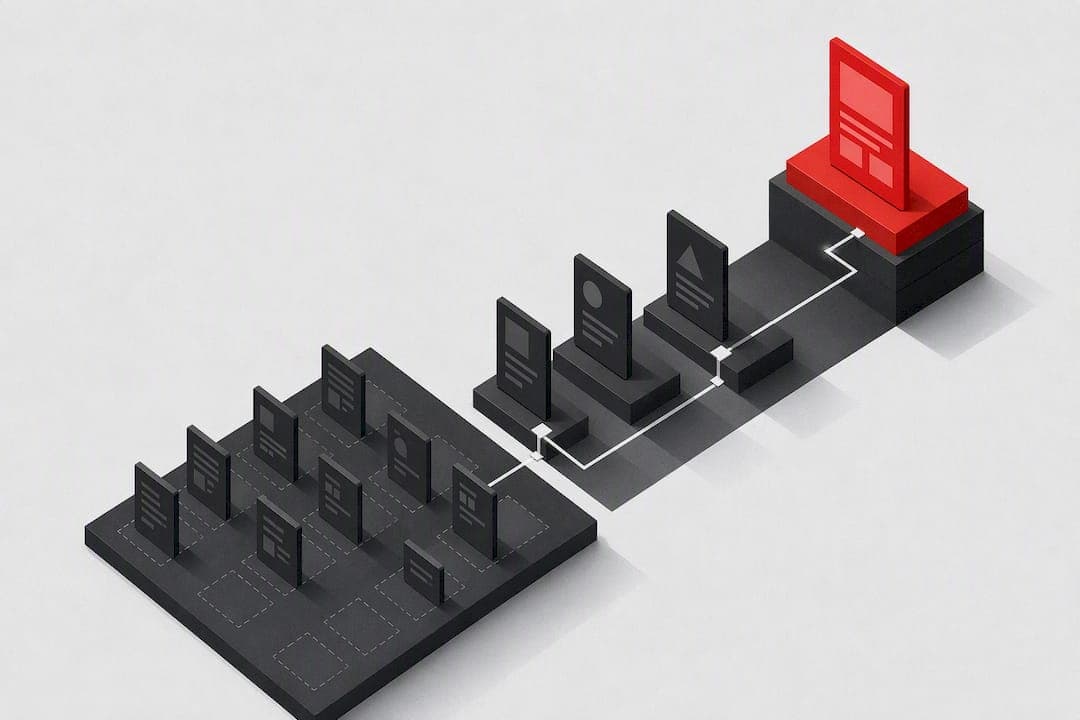
A web accessibility audit is a structured evaluation of your site or app against the Web Content Accessibility Guidelines, mapping every barrier to a specific success criterion. The strongest audits are hybrid: automated scanning to catch scale issues fast, manual expert review for what scanners miss, and assistive-technology testing to confirm real-world usability. Done right, the output is not a raw bug list. It's a prioritized, developer-ready remediation plan.
TL;DR:
- Automated scanners typically identify only 30% to 60% of accessibility issues, making manual review essential for comprehensive testing.
- Testing should focus on templates and core processes rather than individual pages to efficiently fix widespread accessibility flaws.
- Conducting retests immediately after remediation and documenting testing scope prevents issues from reoccurring unnoticed over time.
- The audit's scope must include all relevant components, such as PDFs, mobile apps, and dynamic states, tailored to the site's structure and user flows.
- Using at least two different scanning tools and combining automated with assistive-technology testing produces the most defensible and effective audit results.
Table of Contents
- What a Web Accessibility Audit Actually Covers
- The Five WCAG-EM Steps That Structure a Defensible Audit
- Automated Scanners vs. Manual Testing vs. Real Assistive Tech
- How to Scope and Sample a Site Without Missing What Matters
- Running the Audit: From First Scan to Final Retest
- Which Fixes Come First: A Prioritization Framework
- What Should Be in the Final Audit Report
- What an Audit Actually Costs and How Long It Takes
- How Saveyourapp's Audit Approach Fits This Workflow
- The Mistakes That Quietly Undermine Most Audits
- Resources Worth Bookmarking
- Sources
- FAQ
What a Web Accessibility Audit Actually Covers
A web accessibility audit measures a digital product against a defined standard, usually the Web Content Accessibility Guidelines (WCAG), and documents every gap between what the product does and what the standard requires. That's the whole job in one sentence, but the scope behind it is bigger than most teams expect.
The "product" under audit is rarely just a homepage. A proper audit looks at:
- Marketing pages and core user flows (signup, checkout, account settings)
- Web applications, including single-page apps with dynamic states
- Downloadable documents like PDFs, since these carry their own accessibility structure separate from the page that links to them
- Native mobile apps when a business has them, evaluated against the same WCAG principles adapted for mobile interaction patterns
WCAG itself comes in versions. WCAG 2.0 and 2.1 are the versions most legal precedent cites, but WCAG 2.2 added new success criteria around focus visibility, dragging movements, and accessible authentication, and any audit started in 2026 should test against 2.2 unless a client contract specifically requires an older version. Layered on top of WCAG is the WCAG Evaluation Methodology, known as WCAG-EM, a separate W3C document that doesn't add new accessibility rules but tells auditors how to apply WCAG consistently, from defining scope to writing the final report.
Why does any of this matter beyond good practice? In the United States, the Department of Justice and courts handling ADA Title III claims routinely point to WCAG conformance as the practical benchmark for what "accessible" means, even though the ADA itself doesn't name WCAG explicitly. That's a meaningful detail: WCAG functions as the de facto legal reference in U.S. accessibility litigation, without being formally codified as the legal standard. Other regions have their own frameworks (the EU's EN 301 549, for instance, also builds on WCAG), so the specific compliance obligation always depends on where your users and your business are located. None of this replaces legal advice for a specific case, but it explains why almost every serious audit uses WCAG as its baseline regardless of jurisdiction.
The Five WCAG-EM Steps That Structure a Defensible Audit
Auditors who skip a defined methodology tend to produce inconsistent results. One reviewer tests five pages, another tests fifty, and neither can defend their sample choice if a client or regulator asks why. WCAG-EM solves that by giving auditors a five-step procedure that's technology-agnostic and repeatable across teams.
- Define the scope. Decide exactly what's being evaluated, including which pages, processes, and technologies (does the scope include third-party embeds, PDFs, mobile web views?) and which WCAG version and conformance level (A, AA, or AAA) apply. Most organizations target AA, since that's the level referenced in most legal and procurement standards.
- Explore the target. Before sampling, an auditor browses the full product to understand its structure, its common page types, and where the highest-risk components live, things like checkout flows, search interfaces, or custom-built widgets.
- Select a representative sample. This is where most shortcuts happen and most audits go wrong. WCAG-EM calls for a structured sample (every page template, every core process) plus a random sample to catch anomalies the structured sample wouldn't surface.
- Evaluate the sample. Each page or screen gets tested against every applicable WCAG success criterion, using a mix of automated tools and manual checks, since WCAG-EM is explicit that tools assist evaluation but cannot replace it for many checks.
- Report the findings. Document each failure with its WCAG success criterion, severity, location, and enough detail for a developer to reproduce and fix it without guessing.
Picking the conformance target and the "accessibility support baseline" (which browsers, screen readers, and assistive tech combinations you're testing against) happens in step one, and it shapes everything downstream. A financial services company serving a broad public audience might test against JAWS, NVDA, and VoiceOver across Chrome, Edge, and Safari. A niche internal tool might reasonably narrow that list. Either choice is defensible as long as it's documented before testing starts.
Pro Tip: Write your scope and sampling decisions down before you start testing, not after. A reviewer or client challenging your findings six months later will ask why you tested those 12 pages out of 200, and "that's what I checked" is not an answer that holds up.
Automated Scanners vs. Manual Testing vs. Real Assistive Tech
No single method catches everything, and that's the core reason a hybrid audit outperforms any single-tool approach. Automated scanners are fast and cheap to run at scale, but published estimates suggest automation typically catches somewhere between 30% and 60% of total issues, depending on the site's complexity and the tool used. The rest requires a person.
What automated scanners catch well: missing alt text, insufficient color contrast, missing form labels, empty links, heading structure problems, and missing document language attributes. These are all things a script can measure objectively against the DOM.
What automated scanners miss: whether alt text actually describes the image meaningfully, whether a custom dropdown is operable by keyboard, whether focus order makes logical sense, whether an error message is announced to a screen reader user, and whether a "skip to content" link actually lands somewhere useful. These require a human running the interaction, not a script parsing markup.
Running more than one scanning engine matters more than most teams realize. Different scanners use different rule sets and different heuristics, and cross-checking two or three catches issues a single tool's blind spots would let through. The W3C's list of accessibility evaluation tools is the most reliable place to compare categories rather than chase whichever tool ranks highest in a sponsored blog post.
A practical audit toolkit generally includes:
- Browser extensions for quick spot checks during manual review (contrast checkers, DOM inspectors, heading outline viewers)
- CI-integrated scanners that run automated checks on every build so regressions get caught before shipping
- Standalone PDF accessibility checkers, since document accessibility is a separate discipline from web page accessibility
- Screen reader software (NVDA, JAWS, VoiceOver) for direct manual testing, not just automated compatibility scoring
Manual expert checks fill the gap automation can't touch: full keyboard navigation through every interactive element, form validation and error handling, semantic structure (is that "button" actually a <button> or a styled <div>?), and complex widgets like date pickers, carousels, and custom modal dialogs. These components fail constantly, not because developers are careless, but because building an accessible custom component is genuinely harder than using a native HTML element.
Assistive-technology testing and real user testing sit on top of expert review. An accessibility specialist can navigate a page with a screen reader and know it "works" technically while a longtime screen reader user finds it exhausting or confusing in practice. Including a small round of testing with actual assistive-technology users, even just two or three sessions, tends to surface friction that no checklist catches.
How to Scope and Sample a Site Without Missing What Matters
Scope decisions made in the first hour of an audit determine whether the final report is useful or misleading. The first call is full-product enclosure versus limited scope: if an audit only covers the marketing site while the actual application (the part users spend time in) goes untested, any conformance statement based on that audit is only true for the part reviewed. Say so explicitly in the report, or the statement misleads whoever reads it later.
Template-first sampling is the highest-leverage habit an auditor can build. Most websites are built from a handful of page templates: a homepage, a product listing page, a product detail page, a blog post layout, a checkout flow. Fixing an accessibility issue at the template level fixes it everywhere that template is used, which means auditing templates before auditing individual pages delivers far more value per hour spent.
Beyond templates, WCAG-EM recommends layering in:
- A structured sample covering every template, every core process (signup, checkout, search), and every common component type
- A random sample of additional pages to catch outliers the structured sample wouldn't reveal, since combining both increases confidence that the sample reflects reality rather than the auditor's assumptions
- Complete processes tested end-to-end, not just individual screens in isolation, since a multi-step checkout can fail accessibility only at step three
A reasonable sample-size heuristic for a mid-sized site: every unique template, every critical user flow tested start to finish, and roughly 10 to 15 additional pages selected at random for a site with dozens of templates. Smaller sites should lean toward full coverage; sites with hundreds of templates need tighter structured sampling with a larger random pool.
Gated content, single-page applications, and document libraries each need special handling. Gated content behind a login requires test accounts provisioned before the audit starts, or it simply gets skipped and the report needs to say so. SPAs demand testing of dynamic states (modal opens, tab switches, infinite scroll) that a static URL can't capture on its own. Document-heavy sites need a separate PDF and file inventory, since a 40-page audit of web pages that ignores 200 unaudited PDFs is not a complete picture.

Pro Tip: If budget or time forces a smaller scope, tell the client exactly what wasn't tested in the executive summary, not buried in an appendix. An incomplete audit is fine. A misleading one is a liability.
Running the Audit: From First Scan to Final Retest
A repeatable audit workflow looks roughly the same whether you're a solo consultant or a team auditing an enterprise platform. The sequence matters because skipping steps, especially the retest at the end, is how "fixed" issues quietly reappear.
- Run multiple automated scans across the full sample. Use at least two scanning engines and export raw results before doing anything else. Triage immediately: separate genuine failures from false positives, since automated tools regularly flag things like decorative images with empty alt attributes as errors when they're actually implemented correctly.
- Work through manual verification. Tab through every interactive element on each sampled page to confirm logical focus order and visible focus indicators. Test every form for label association, error identification, and error suggestion. Check ARIA usage specifically for overuse, since ARIA attributes applied incorrectly often cause worse screen reader behavior than no ARIA at all.
- Run assistive-technology passes. Navigate key flows with at least one screen reader and confirm dynamic content changes (form errors, loading states, modal dialogs) get announced properly.
- Capture evidence for every failure. A useful record includes the exact URL, the WCAG success criterion violated, a screenshot or code snippet, and a short reproduction sequence a developer can follow without asking clarifying questions. Including the specific user actions that trigger the bug cuts down back-and-forth with engineering significantly, especially for interactive widgets that only fail under specific conditions.
- Turn findings into remediation tickets, prioritized by impact, and schedule a retest. Nothing on this list matters if issues get logged and never revisited.
An evidence log tends to look something like this:
| Field | Example entry |
|---|---|
| URL | /checkout/payment |
| WCAG success criterion | Info and Relationships |
| Issue | Credit card field has no visible or programmatic label |
| Severity | High |
| Reproduction | Load page, tab to card number field, listen with screen reader |
| Screenshot/snippet | <input type="text" id="cc-num"> (no associated <label>) |
Retest cycles should be scheduled the moment remediation tickets ship, not weeks later when priorities have shifted. A short, targeted retest confirming only the previously flagged issues (rather than a full re-audit) is usually enough to close the loop, unless the underlying codebase changed substantially in the interim.
Which Fixes Come First: A Prioritization Framework
Not every accessibility failure deserves the same urgency, and treating them all equally is how remediation backlogs stall for months. A workable framework scores each issue on four axes: severity (does it block a task entirely, or just create friction?), frequency (is this a template-level issue affecting hundreds of pages, or a one-off on a rarely visited page?), effort (is this a one-line CSS fix or a full component rebuild?), and legal risk (does this map to a success criterion that shows up repeatedly in ADA-related litigation, like color contrast or keyboard traps?).
A simple triage structure works well in practice:
- Critical, fix immediately: blocks task completion for assistive-technology users, high frequency, low-to-medium effort. Think missing form labels on a checkout page.
- High priority, fix this sprint: significant friction but not a full block, or a template-level issue where the fix cascades across dozens of pages.
- Medium priority, next release cycle: isolated issues on low-traffic pages, or fixes requiring larger component rework.
- Low priority, backlog: cosmetic or edge-case issues with minimal user impact.
Developer-ready remediation guidance should always include the WCAG success criterion, the current failing behavior, and the specific fix, not a vague instruction like "improve contrast" but the actual required ratio and a corrected color value.
Pro Tip: Attach a rough time estimate to each ticket before handing it to engineering. A prioritized list without effort estimates just moves the guessing game from the auditor to the dev team.
What Should Be in the Final Audit Report
An audit report earns its value only if it changes what gets built next. That means writing for two different readers at once: an executive who wants to know the risk level and the plan, and a developer who wants exact reproduction steps.
A solid report structure includes:
- An executive summary stating the overall conformance status, the number of critical issues, and the recommended timeline, written with zero technical jargon so a non-technical stakeholder can act on it in five minutes
- Findings organized by WCAG principle (Perceivable, Operable, Understandable, Robust) with each issue tied to its specific success criterion and severity rating
- A remediation roadmap sequencing fixes by the priority framework above, with realistic timelines
- A retest plan specifying what gets re-checked, when, and how
For organizations that need formal documentation, particularly those selling to government agencies or large enterprises with procurement requirements, a Voluntary Product Accessibility Template (VPAT) or its output document, the Accessibility Conformance Report (ACR), states conformance criterion-by-criterion in a standardized format buyers recognize. It's not always necessary for a routine audit, but it's often required for RFPs and vendor contracts.
Per-page CSVs listing every finding alongside an aggregated conformance score give teams a way to track progress audit over audit. Continuous monitoring, whether through scheduled automated scans or periodic manual spot checks, documents that accessibility isn't a one-time project but an ongoing commitment, which matters both for user experience and for demonstrating good-faith effort if a legal complaint ever surfaces.
What an Audit Actually Costs and How Long It Takes
Cost and timeline questions rarely have a single clean answer, because the two biggest variables, site size and how much manual testing is included, swing wildly between projects. A lightweight automated scan across a small site can run in hours. A full manual verification pass across a complex template with forms, custom widgets, and multiple user flows can take a full day or more per template.
Several factors drive the price up or down:
- Manual user testing with actual assistive-technology users costs more than expert review alone, but catches friction expert review sometimes misses
- Document audits for PDFs and other files add time proportional to document count and complexity, since each document needs individual remediation
- Complex custom components (date pickers, multi-step forms, data visualizations) take disproportionately longer to test and fix than standard content pages
Two budgeting patterns show up repeatedly among teams that manage this well. The first is a phased audit: a lightweight baseline scan and prioritized quick-win sprint first, followed by deeper manual testing on the highest-traffic templates. Gov exists specifically for teams that can't commission a full audit right away, and a baseline check plus a remediation sprint plus a retest cycle often delivers strong returns compared with a single large one-off engagement. The second pattern is continuous monitoring: smaller, recurring checks after every major release instead of one exhaustive annual audit, which tends to catch regressions before they compound.
How Saveyourapp's Audit Approach Fits This Workflow
Everything above describes what a rigorous accessibility audit requires: structured scope, hybrid testing, and prioritized output developers can actually act on. Saveyourapp builds its conversion audit around that same logic, applied to the broader question of why a page loses users, with accessibility as one of seven audit layers alongside technical SEO, performance, UX and navigation, conversion, trust and security, and onboarding.
The platform's patented Prism Engine analyzes a web page to surface barriers that block signups and conversions, things like confusing onboarding steps or unclear pricing, using the same automated-plus-human logic that accessibility audits rely on. Saveyourapp pairs AI-driven diagnostics with human beta tester reviews, mirroring the hybrid principle that runs through every credible accessibility methodology: automation alone misses context, and human review alone doesn't scale.
That combination produces a few practical advantages for teams already running or planning accessibility work:
- Ranked fixes ordered by impact, so engineering time goes toward the barriers actually costing signups first
- Human reviewer feedback that catches usability friction automated scanners structurally can't detect
- A dashboard view that tracks scores over time, useful for teams treating accessibility and conversion as ongoing work rather than a one-off project
The Free, Solo, and Founder plans scale from a basic scan up to full AI-plus-human review with repeated audits, and teams that need a deeper look can add a 3-day extra test for $199 one-off.
The Mistakes That Quietly Undermine Most Audits
The single biggest failure I see in accessibility audits isn't a missed WCAG criterion. It's overreliance on one scanning tool, treated as if a clean automated report means the site is accessible. It doesn't. It means the DOM-level issues that particular tool's ruleset checks for are absent, which is a much narrower claim. The fix is unglamorous: run at least two scanning engines and treat both as a starting point for manual work, never an endpoint.
The second mistake is auditing pages instead of templates. Teams that jump straight to testing individual URLs end up fixing the same underlying component bug a dozen times across a dozen tickets, when fixing the template once would have resolved all of them simultaneously. Template-first thinking isn't just faster. It changes how engineering teams budget their time entirely.
The third, and the one that undoes the most work, is skipping the retest. An audit that ends at the remediation ticket, with no scheduled follow-up, tends to have half its fixes quietly regress within a year as the codebase changes. Building a retest cycle into the original project plan, not as an afterthought, is the difference between an audit that improves a site permanently and one that improves it for a quarter.
— William
Resources Worth Bookmarking
For methodology, the WCAG Evaluation Methodology itself is the primary document to keep on hand. It's dense but precise, and it's the closest thing the field has to a shared standard for what "a defensible audit" means.
For tool selection, the W3C's evaluation tools list categorizes scanners, browser extensions, and APIs without pushing any single vendor, which makes it far more useful than most "best tools" roundups.
For jurisdictional context, the ADA Title III overview explains how U.S. enforcement treats website accessibility, and the gov.uk basic accessibility check is worth keeping bookmarked for teams that need a fast, honest starting point before committing to a full audit.
Sources
FAQ
What Is a Web Accessibility Audit?
A web accessibility audit is a structured review of a website or app against WCAG success criteria, identifying every place the product fails to meet the standard. The strongest audits combine automated scanning, manual expert testing, and assistive-technology checks to produce a prioritized, WCAG-mapped list of fixes.
What Are the Four Principles of Web Accessibility?
WCAG organizes every success criterion under four principles: Perceivable, Operable, Understandable, and Robust, often shortened to POUR. Content must be perceivable to the senses, operable through varied input methods, understandable in structure and language, and robust enough to work across different technologies and assistive tools.
How Much Does a Website Accessibility Audit Cost?
Cost depends heavily on site size, the amount of manual and assistive-technology testing included, and how many documents or custom components need review. Many teams manage cost by starting with a lightweight baseline check, then phasing in deeper manual testing on high-traffic templates, following the phased approach gov.uk recommends for teams that can't commission a full audit immediately.
Is WCAG a Legal Requirement in the United States?
WCAG isn't formally written into the ADA as a legal requirement, but U.S. enforcement actions and court settlements routinely reference WCAG conformance as the practical benchmark for accessibility. That makes WCAG the de facto standard most legal teams recommend targeting, even without an explicit statutory mandate naming it.
What's the Difference Between Automated and Manual Accessibility Testing?
Automated testing uses scripts to scan code for measurable issues like missing alt text or poor color contrast, and it typically catches roughly 30% to 60% of total accessibility issues depending on the site. Manual testing, done by a person navigating with a keyboard or screen reader, catches the contextual and interaction-based problems automation structurally cannot detect.